
CpidCertHelper
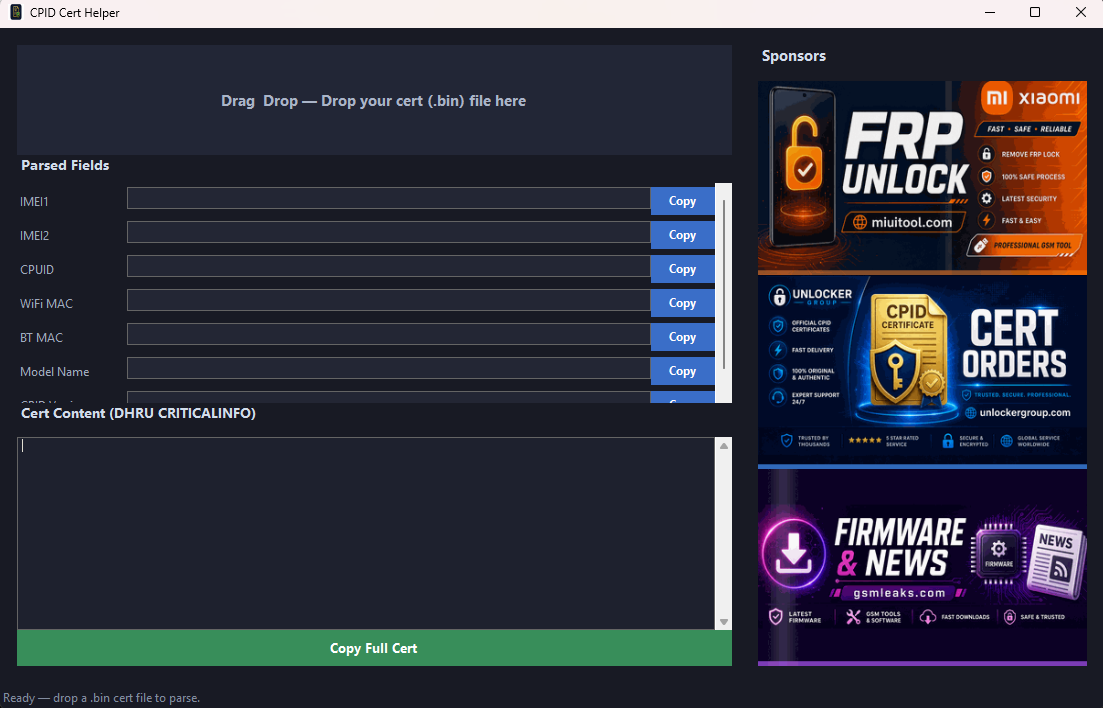
New file CPID Cert Helper — Free Windows tool to parse Xiaomi CPID cert (.bin) files. Drag & drop your cert, view IMEI, CPUID, MAC addresses and model info, then copy the full CRITICALINFO string for DHRU orders. Requires .NET 9 Desktop Runtime.on GSM Leaks downloads.
CPID Cert Helper is a lightweight, free Windows utility for technicians who work with Xiaomi CPID certificate files. Instead of opening certs in a hex editor or copying fields by hand, you can drop your .bin file into the app and get clean, ready-to-use values in seconds.
How it works
- Download and run
CpidCertHelper.exeon Windows (64-bit). - Drag and drop your CPID cert file (
.bin) onto the window. - The tool automatically parses and displays:
- IMEI 1 & IMEI 2
- CPUID
- WiFi MAC & Bluetooth MAC
- Model name
- Use the Copy buttons next to each field, or click Copy Full Cert to copy the complete CRITICALINFO block formatted for DHRU / reseller order systems.
Who is it for?
- GSM unlock shops and resellers placing CPID cert orders via DHRU
- Technicians who need quick access to cert fields without manual parsing
- Anyone who wants a simple, local cert reader — no upload, no account required
Requirements
- Windows 10 / 11 (64-bit)
- .NET 9 Desktop Runtime (x64) — install once if the app does not start
- Your Xiaomi CPID cert file (
.bin)
Notes
- The app runs locally on your PC; your cert is not sent to any server for parsing.
- Built-in auto-update checks for new versions on startup.
- Small download size (~500 KB) — no heavy installer.
Disclaimer: This tool only reads and formats certificate data. Use certs only on devices you own or are authorized to service.
Related posts
Comments
No comments yet.
Sign in to comment and download.